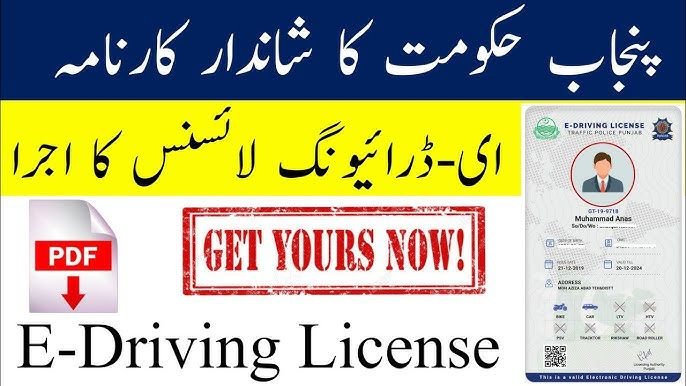
How to Make your E Driving license from mobile phone ? Easy steps
Getting your E driving license has never been easier. With digital systems replacing paperwork in many countries, you can now apply, track, and even store your driving license electronically. Whether you’re a first-time driver or upgrading from a traditional license, understanding how to make your E driving license will save you time, money, and stress.
This guide walks you through the entire process in a clear, practical way — just like a driving expert explaining it to a friend.
What Is an E Driving License?
An E driving license (electronic driving license) is a digital version of a traditional driver’s license. It is issued by a government authority and can usually be accessed through an official app or online portal.
Key Features of an E Driving License
- Digitally stored and easy to access
- Legally valid (in participating regions)
- Linked directly to government databases
- Less risk of loss or damage
Many countries now offer E driving licenses as part of smart transportation and e-government initiatives.
Requirements to Make Your E Driving License
Before you begin the application process, make sure you meet the basic requirements. These can vary slightly by country, but generally include:
Basic Eligibility
- Minimum legal driving age
- Valid national ID or passport
- Medical fitness certificate (vision test included)
- Completion of required driving lessons
Documents You’ll Need
- Proof of identity
- Proof of address
- Passport-sized photo (digital)
- Learner’s permit (if applicable)
Tip: Always check your local transport authority’s website for the most up-to-date requirements.
Step-by-Step: How to Make Your E Driving License
Step 1: Register on the Official Portal
Visit your government’s transport or motor vehicle website and create an account using your national ID or email.
Step 2: Apply for a Learner’s License
If you’re a new driver, you’ll need a learner’s permit first. This may involve:
- An online theory test
- Traffic rules and road sign knowledge
Step 3: Complete Driving Training
Enroll in an approved driving school. Many systems now digitally track your training hours and progress.
Step 4: Pass the Driving Test
This includes:
- Practical road test
- Vehicle control and safety evaluation
Once you pass, your results are uploaded automatically.
Step 5: Pay the License Fee
Fees vary, but payment is typically done online using:
- Debit/credit card
- Mobile payment apps
- Government payment portals
Step 6: Receive Your E Driving License
After approval, your E driving license will be:
- Available in an official mobile app
- Downloadable as a secure digital file
- Linked to a QR code for verification
Benefits of an E Driving License
Using an E driving license comes with several advantages:
- Convenience: No need to carry a physical card
- Security: Harder to forge or misuse
- Instant access: Available anytime on your phone
- Eco-friendly: Reduces plastic and paper use
Many traffic authorities and police departments now accept digital licenses during checks.
Common Mistakes to Avoid
When applying for your E driving license, avoid these common issues:
- Uploading unclear or incorrect documents
- Missing test appointments
- Ignoring medical requirements
- Applying through unofficial websites
Actionable Tip: Bookmark the official portal and double-check URLs to avoid scams.
How Long Does It Take?
The timeline depends on your location and readiness:
- Learner’s license: 1–7 days
- Driving training: 2–8 weeks
- Final E license issuance: 1–5 working days after passing
Being prepared can significantly speed up the process.
Final Thoughts: Your Road to a Digital License
Learning how to make your E driving license is an important step toward modern, hassle-free driving. With clear requirements, online systems, and digital verification, the process is faster and more transparent than ever before.
If you follow the steps carefully, prepare your documents, and use official platforms, you’ll be legally on the road — with your license right in your pocket.
CHECK CLICK HERE TO MAKE YOUR E LICENSE